
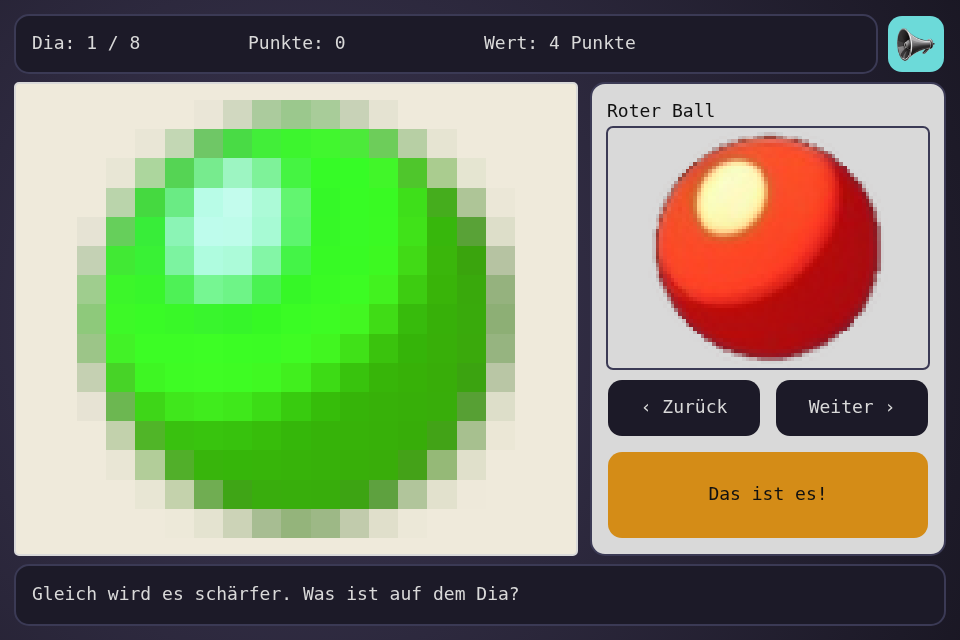
An old slide projector: each picture starts as a few coarse blocks and slowly comes into focus, while you flip through a catalogue and say what it is. The toolbox's Image and Gallery widgets have been there since before this series, and no step ever used them, so this one is about putting pictures on the UI page.
Play it · Source: collection-spielwerk/23-diaabend · Toolbox 5.7.0 or later
The game
Eight slides, picked from a catalogue of seventeen pictures. The sooner you name one, the more it's worth: 5 points while it's still blocks, 1 point once it's sharp. A wrong name costs no points, it only brings the focus on faster, so guessing is fine. If you do nothing, each slide sharpens, stays a moment, and the next one comes.
- Mouse or touch: click the catalogue or "Weiter" and "Zurück" to flip, "Das ist es!" to name the slide.
- Left and right arrow: flip. Enter or Space: name it.
New in the toolbox: pictures on the UI page
The problem. Painting a picture is one call: paint_image() from step 15 draws by name. But a picture you can press belongs on the UI page, as a widget, so that it gets hits, a place in the layout and theme rules like everything else there. What you only look at may stay paint. The catalogue is pressed, and the slide gets a theme animation, so here they're both widgets.
The idea. There are two widgets. An Image shows one picture. A Gallery holds several and shows one at a time, and a click goes to the next. Both take the same Assets the shell has already loaded from settings.images:
public override readonly images = { 'ball-red': ball_red, tower, heart, /* ... */ };
The assets exist as soon as the element starts, before the pictures have arrived. That's why the widgets can be built first and filled in on_start(), and why they simply draw nothing until a picture is ready:
// in Properties
this.picture = this.place(new Image(null, UNPLACED), (layout) => layout.picture, screen);
this.picture.is_contained = true;
this.picture.is_smooth = false;
this.gallery = this.place(new Gallery('', [], UNPLACED), (layout) => layout.gallery, catalogue);

// in Logic
properties.gallery.images = PICTURES.map((picture) => this.asset_of(picture));
Two settings matter for sprites. is_contained keeps a picture's shape, centered in the box: this catalogue has a tall tower and wide bricks, and they'd be stretched otherwise. is_smooth = false keeps pixel art sharp when it's drawn larger.
The focus. Image.pixel_size draws the picture into a much smaller canvas, then draws that back up with smoothing off. A pixel_size of 64 turns a 438 pixel tall slide into about seven blocks. The game only has to say how big the blocks are, and it's a plain number, so it stays testable without a canvas:
export const FOCUS_STEPS = [64, 48, 36, 28, 22, 16, 12, 9, 6, 4, 2, 1];

public get pixel_size(): number {
    if (this.is_revealed) {
        return 1;
    }
    return FOCUS_STEPS[Math.floor(this.focus * (FOCUS_STEPS.length - 1))];
}
sync() hands it over each frame: properties.picture.pixel_size = game.pixel_size. A picture's averaged blocks keep its colors, so a ball gives away its color long before its shape. That's what makes it a guessing game instead of a waiting game, and the two oaks and four bricks stay hard for longer.
The catalogue. A press on a Gallery moves it, so the handler only has to play a sound. The buttons and keys call next() and previous(), and the name above it follows in sync():
this.on_click(properties.gallery, () => this.flipped());
this.on_click(properties.next_button, () => this.flip(1));
// ...
properties.gallery.title = this.current_picture().name;
A new slide slides in. theme_slide() from step 21 works on any widget, so one rule does it: ['image:entering', { transform: theme_slide(-640, 0, 0.35) }]. The logic only calls picture.show_entering(0.35) when the slide changes, and the rule does the rest.
What using them found. Nothing had really used these two, and it showed. Both stretched every picture, and Image needed its asset in the constructor and kept it forever. Gallery took raw images where Image took assets. Its title started in the middle of the picture and ran across it, because a widget's local origin is its center, and "No Image" sat half a box off for the same reason. next() on an empty gallery gave NaN. All of it is fixed, with failing tests first: src/ui/widgets/Image.ts, src/ui/widgets/Gallery.ts, and Rect.contained(), which paint_image() now shares.
A test worth copying. A widget's drawing can be tested with a context that only remembers what it was told:
const image = new Image(asset(50, 100), RECT);
image.is_contained = true;

image.draw(context);

const [, x, , width, height] = draws[0].args as number[];
expect([width, height]).toEqual([50, 100]);
From earlier steps
SeededRandomfrom step 01: picks and shuffles the evening's slides.SessionBestfrom step 05: the best evening.- The mute button from step 17.
UiPage,place(), theme rules andTimedNoticefrom step 20: the panels, and the note after a wrong name.
The scaffold, start screen, intro and scaling are explained once in Spielwerk 00: The workbench.
Embed it
<script src="https://www.game-object.de/tce-elements/tobidot/dll-tce-assets"></script>
<script src="https://www.game-object.de/tce-elements/tobidot/tce-diaabend"></script>
<tce-diaabend init-seed="4711"></tce-diaabend>
| Attribute | Values | Default |
|---|---|---|
init-seed |
whole number; the first run, every next run is seed + 1 | random |
init-intro |
true / false: play the GO logo intro at the first connection |
true |
Next
Previous: Spielwerk 22: Leuchtfeuer · Next: Spielwerk 24: Stellschrauben · All steps · Where the series is heading: Civilization
Comments